Build an Intelligent Search Agent with LazyLLM
LazyLLM supports the creation of agents that use language models as reasoning engines to determine which actions to take and how to interact with external tools. These agents can analyze user queries, decide when to use specific tools, and process the results to provide comprehensive responses. This tool-calling capability is fundamental to building intelligent agents that can interact with the real world.
In this section, you will learn the following key points of LazyLLM
- How to create and register custom tools for agents using @fc_register.
- How to set up a language model as the reasoning engine for agents using OnlineChatModule.
- How to configure ReactAgent to intelligently decide when to call tools.
- How to deploy agents with a web interface for interaction using WebModule.
Design Concept
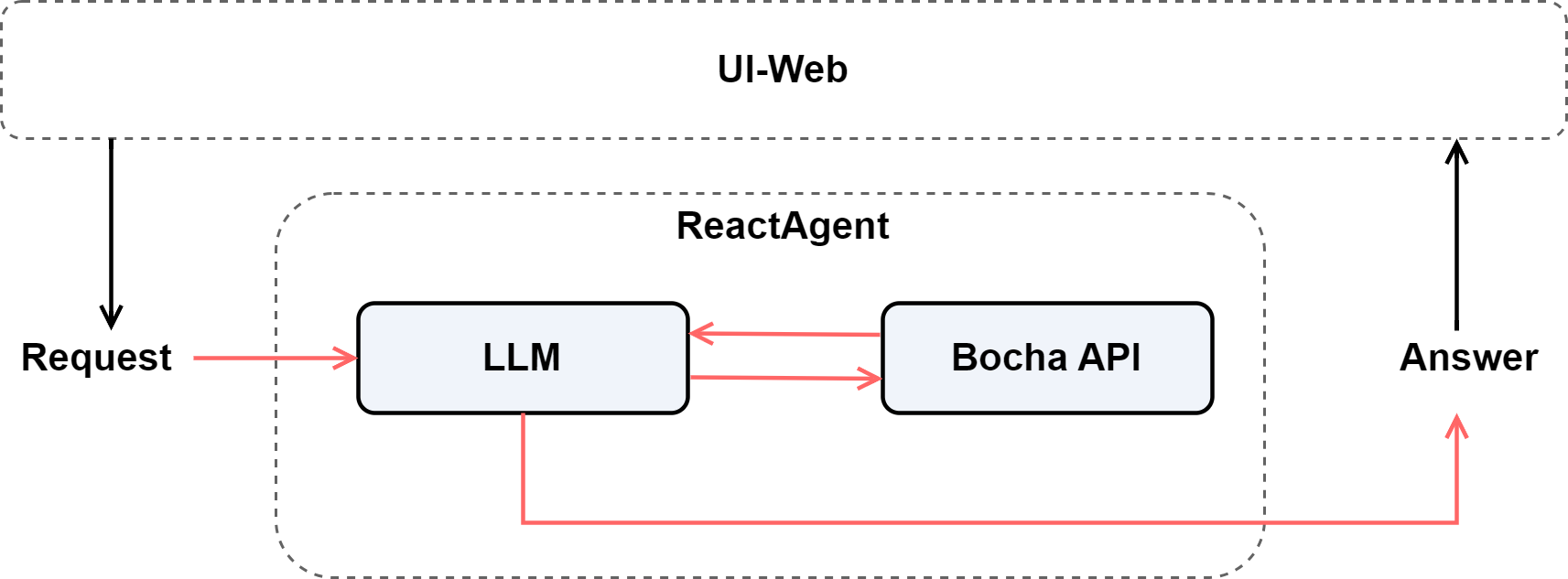
First, to implement intelligent search, we need a language model capable of understanding questions and reasoning. Here, we use LazyLLM’s OnlineChatModule as the core inference engine.
Next, since the model itself cannot directly access the internet, we equip it with an external search tool — the Bocha Search API, which provides real-time access to the latest information.
Finally, we combine the language model and the search tool through a ReactAgent, enabling the “think–act–summarize” process. We also add a web interface so users can directly input queries and view the results.
So, the overall design looks like this:
Setup
Installation
First, install LazyLLM:
Environment Variables
You'll need to set up your API keys:
Applying for API Keys
Before using this tutorial, you need to apply for the corresponding API keys:
Bocha API Key Application:
- Visit the Bocha Open Platform
- Register and log in to your account
- Create a new API key in the "API KEY Management" page
- Copy the generated API key and set it in your environment variables
❗ Note: To obtain the free API quota for Bocha API, please refer to the Developer Documentation.
On the Bocha API homepage, go to Resource Package Management and subscribe to the Free Trial.
DeepSeek API Key Application:
- Visit the DeepSeek Platform
- Register and log in to your account
- Create a new API key in the "API Keys" page
- Copy the generated API key and set it in your environment variables
Dependencies
Make sure you have the required dependencies:
Code Implementation
Let's implement the above design ideas based on LazyLLM.
Define Tools
First, let's define a search tool that the agent can use. In LazyLLM, we use the @fc_register("tool") decorator to register functions as tools:
import os
import httpx
import lazyllm
from lazyllm.tools import fc_register

@fc_register("tool")
def bocha_search(query: str) -> str:
    """
    Query information using Bocha Search API

    Args:
        query (str): Search query, e.g.: "LazyLLM framework", "Latest AI developments"

    Returns:
        str: Search result summary
    """
    try:
        # Get API key from environment variables
        api_key = os.getenv('BOCHA_API_KEY')
        if not api_key:
            return "Error: BOCHA_API_KEY environment variable not set"

        # Send request to Bocha API
        url = "https://api.bochaai.com/v1/web-search"
        headers = {
            "Authorization": f"Bearer {api_key}",
            "Content-Type": "application/json"
        }
        data = {
            "query": query,
            "summary": True,
            "freshness": "noLimit",
            "count": 10
        }

        with httpx.Client(timeout=30) as client:
            response = client.post(url, headers=headers, json=data)
            if response.status_code == 200:
                return response.text
            return f"Search failed: {response.status_code}"

    except Exception as e:
        return f"Search error: {str(e)}"
The @fc_register("tool") decorator automatically makes this function available to LazyLLM agents. The function docstring is important as it helps the agent understand when and how to use the tool.
Using Language Models
LazyLLM provides easy access to various online language models through OnlineChatModule:
You can also use other providers, as described in the official documentation:
# OpenAI
llm = lazyllm.OnlineChatModule(source="openai")
# KiMi
llm = lazyllm.OnlineChatModule(source="kimi")
# Qwen
llm = lazyllm.OnlineChatModule(source="qwen")
Create the Agent
Now let's create a ReactAgent that can use our search tool:
def create_agent():
"""Create a configured search agent"""
# Create LLM
llm = lazyllm.OnlineChatModule(
    source="deepseek",
    timeout=30
)
# Create ReactAgent
agent = lazyllm.tools.agent.ReactAgent(
llm=llm,
tools=["bocha_search"], # Reference our registered tool
max_retries=2,
return_trace=False,
stream=False
)
return agent
The ReactAgent follows the ReAct (Reasoning and Acting) paradigm, which allows the agent to:
- Think about what it needs to do
- Act by calling tools when needed
- Observe the results and continue reasoning
Run the Agent
Let's test our agent with a simple query:
# Create agent
agent = create_agent()

# Run query
result = agent("Search for the latest information about LazyLLM framework")
print(result)
The agent will:
- Analyze the query
- Decide to use the
bocha_searchtool - Call the tool with the appropriate search terms
- Process the results and provide a comprehensive answer
Web Interface
LazyLLM makes it easy to deploy your agent with a web interface:
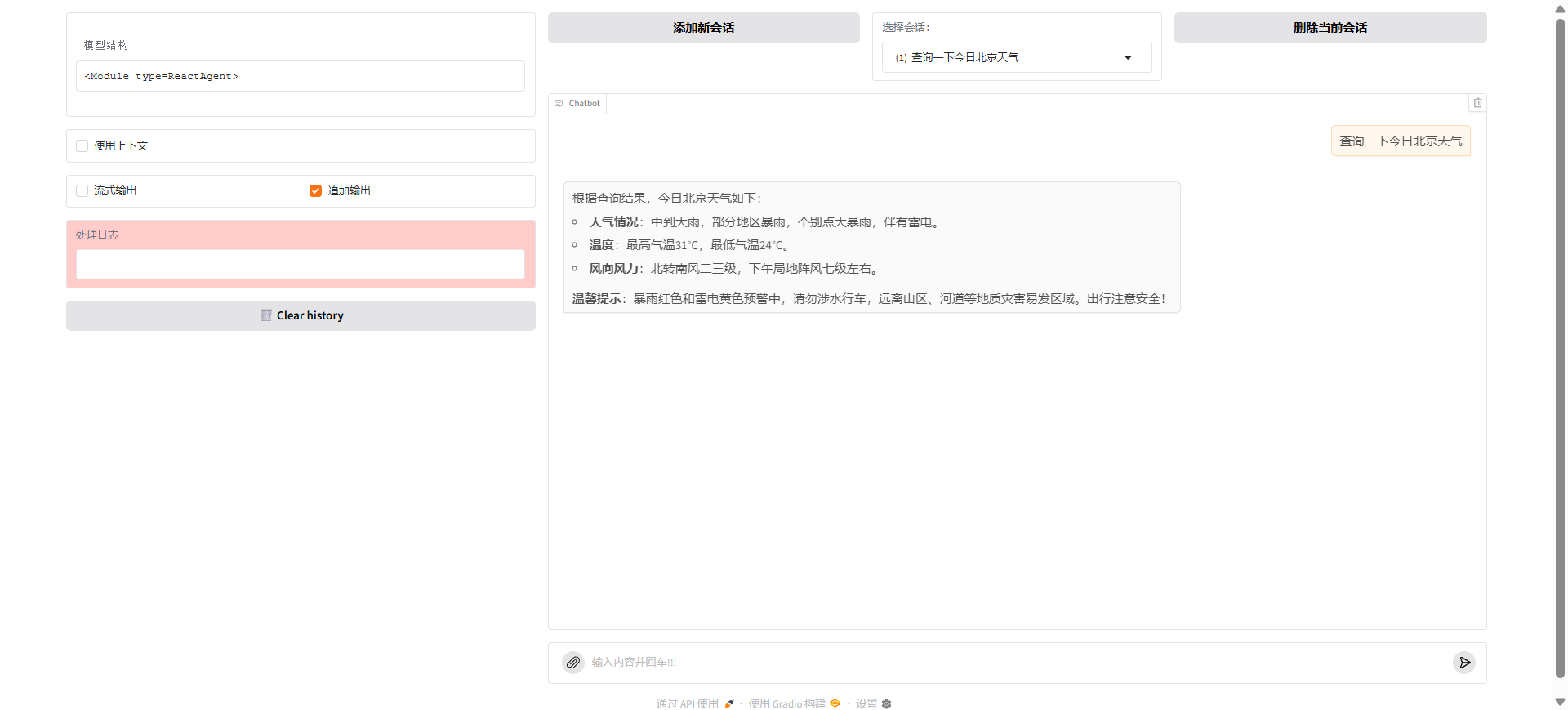
def start_web_interface():
    """Start web interface"""
    print("Starting Bocha Search Tool Web Interface...")

    try:
        # Check API key
        if not os.getenv('BOCHA_API_KEY'):
            print("Warning: BOCHA_API_KEY environment variable not set")
            print("Please set: export BOCHA_API_KEY=your_api_key")
            return

        # Create agent
        agent = create_agent()

        # Start web interface
        web_module = lazyllm.WebModule(
            agent,
            port=8848,
            title="Bocha Search Agent"
        )

        print(f"Web interface started: http://localhost:8848")
        print("Press Ctrl+C to stop the service")

        web_module.start().wait()

    except KeyboardInterrupt:
        print("\nStopping service...")
    except Exception as e:
        print(f"Start failed: {e}")
Streaming Responses
To enable streaming responses, modify the agent configuration:
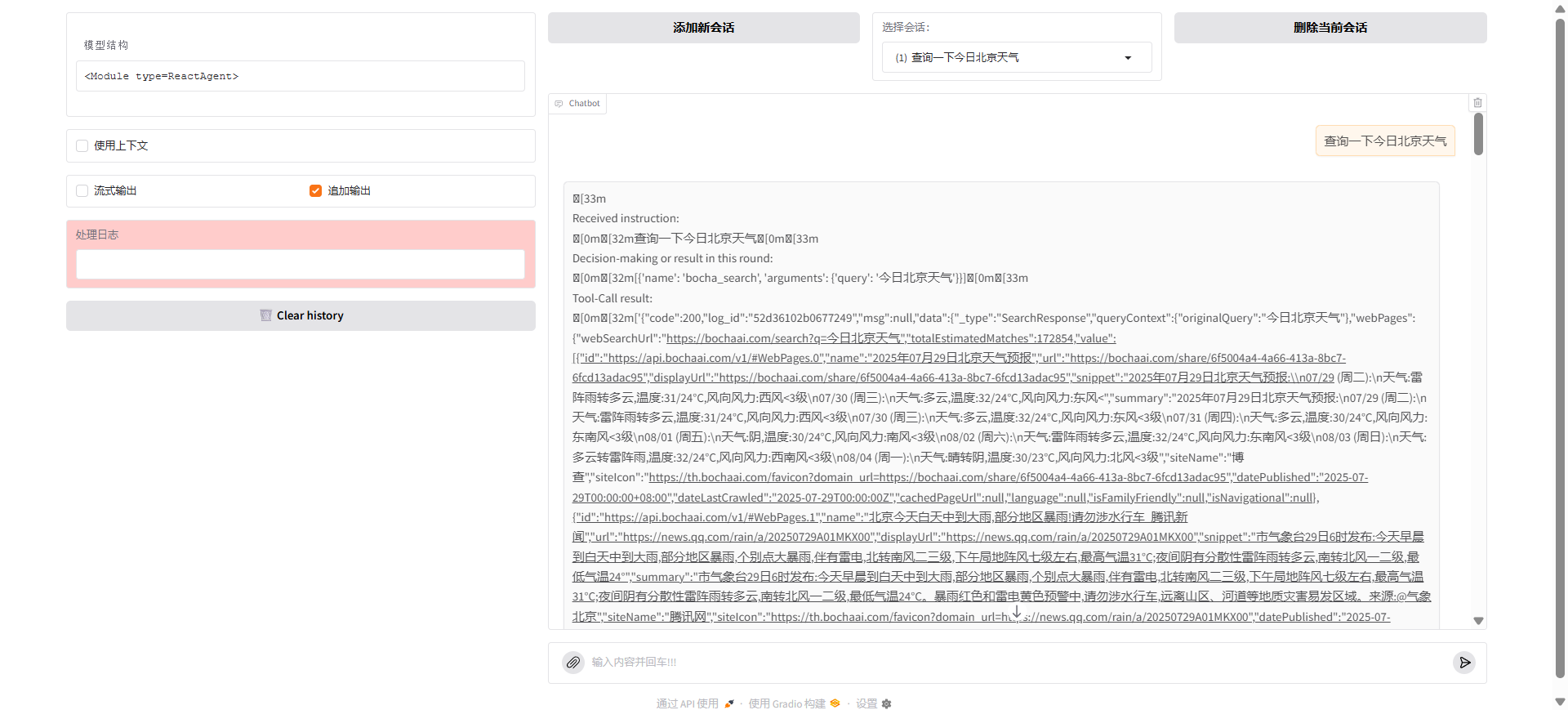
agent = lazyllm.tools.agent.ReactAgent(
    llm=llm,
    tools=["bocha_search"],
    max_retries=2,
    return_trace=False,
    stream=True  # Enable streaming output
)
Adding Memory
LazyLLM agents can maintain conversation history through the web interface automatically, or you can implement custom memory functionality to enhance the agent's ability to maintain context across conversations.
Memory features enable agents to:
- Remember previous conversations and user preferences
- Maintain context across multiple interactions
- Provide more personalized responses based on conversation history
- Build up knowledge about ongoing projects or topics
Custom memory implementation will be added in future updates.
Complete Example
Here's the complete working example:
import os
import httpx
import lazyllm
from lazyllm.tools import fc_register


@fc_register('tool')
def bocha_search(query: str) -> str:
    '''
    使用 Bocha 搜索 API 查询信息

    Args:
        query (str): 搜索查询,例如:"LazyLLM 框架"、"最新 AI 发展"

    Returns:
        str: 搜索结果摘要
    '''
    try:
        # 从环境变量获取 API 密钥
        api_key = os.getenv('BOCHA_API_KEY')
        if not api_key:
            return '错误:未设置 BOCHA_API_KEY 环境变量'

        # 向 Bocha API 发送请求
        url = 'https://api.bochaai.com/v1/web-search'
        headers = {
            'Authorization': f'Bearer {api_key}',
            'Content-Type': 'application/json'
        }
        data = {
            'query': query,
            'summary': True,
            'freshness': 'noLimit',
            'count': 10
        }

        with httpx.Client(timeout=30) as client:
            response = client.post(url, headers=headers, json=data)
            if response.status_code == 200:
                return response.text
            return f'搜索失败:{response.status_code}'

    except Exception as e:
        return f'搜索错误:{str(e)}'


def create_agent():
    '''创建配置好的搜索代理'''
    # 创建 LLM
    llm = lazyllm.OnlineChatModule(
        # source='deepseek',
        timeout=30)

    # 创建 ReactAgent
    agent = lazyllm.tools.agent.ReactAgent(
        llm=llm,
        tools=['bocha_search'],
        max_retries=2,
        return_trace=False,
        stream=False
    )

    return agent


def start_web_interface():
    '''启动 Web 界面'''
    print('启动博查搜索工具 Web 界面...')

    try:
        # 检查 API 密钥
        if not os.getenv('BOCHA_API_KEY'):
            print('警告:未设置 BOCHA_API_KEY 环境变量')
            print('请设置:export BOCHA_API_KEY=your_api_key')
            return

        # 创建代理
        agent = create_agent()

        # 启动 Web 界面
        web_module = lazyllm.WebModule(
            agent,
            port=8848,
            title='博查搜索代理'
        )

        print('Web 界面已启动:http://localhost:8848')
        print('按 Ctrl+C 停止服务')

        web_module.start().wait()

    except KeyboardInterrupt:
        print('停止服务...')
    except Exception as e:
        print(f'启动失败:{e}')


if __name__ == '__main__':
    start_web_interface()
Usage Examples
Standalone Use
# Create and use agent
agent = create_agent()

# Search for technical information
result = agent("Search for Python async programming best practices")
print(result)

# Search for news
result = agent("Find latest breakthroughs in AI field")
print(result)
Web Interface Usage
- Run the script:
python tool_agent.py - Open your browser to
http://localhost:8848 - Start chatting with the agent through the web interface
Conclusion
LazyLLM provides a powerful and easy-to-use framework for building intelligent agents. With just a few lines of code, you can:
- Register custom tools
- Create sophisticated agents
- Deploy web interfaces
- Handle streaming and memory
This framework makes it accessible to build production-ready AI agents that can interact with external APIs and provide intelligent responses to user queries.For more information about LazyLLM, check out the official documentation and examples.